
Integrating OpenAI API into Your Laravel Application
ou already know the situation. You need AI in your Laravel app, so you reach for openai-php/client, wire up the HTTP calls, write your own retry logic, figure out how to serialize conversation history, and by the time you've got something working you've built a custom integration layer that nobody else on the team knows how to touch.
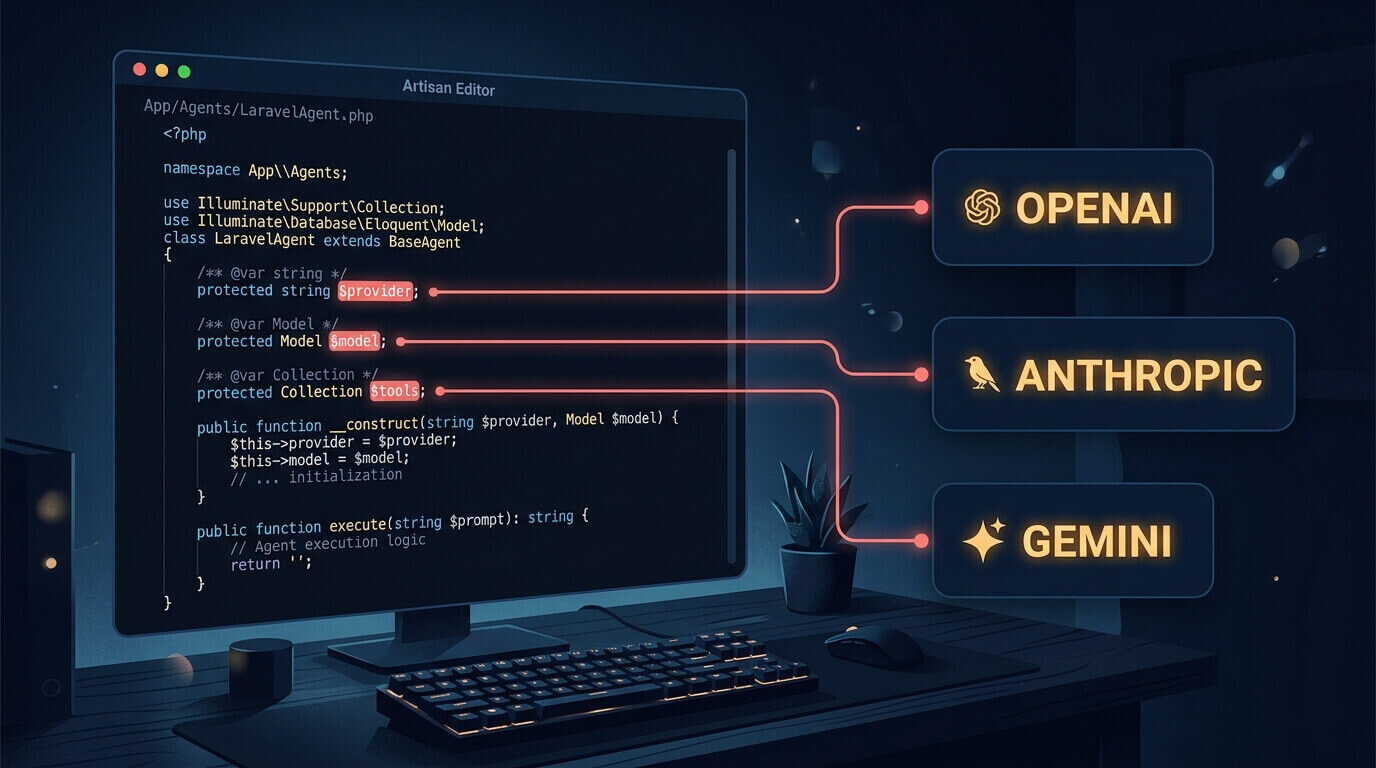
Laravel's official AI package takes a different approach. laravel/ai is first-party — built by the Laravel team, not a third-party wrapper — and it brings a full agent architecture to your application: class-based agents, database-backed conversation memory, structured output, tools, streaming, and queued execution. OpenAI is one supported provider. Anthropic, Gemini, Groq, Mistral, and a dozen others are in the same list.
The Agent Architecture
The core concept here is the agent class. An agent in laravel/ai is a PHP class that encapsulates a specific AI task: its instructions, the context it has access to, the tools it can call, and the schema of what it returns. Think of it the way you'd think of a Laravel Job or a Notification — a dedicated class for a dedicated purpose, resolved from the container, testable in isolation.
The package generates the class for you:
php artisan make:agent ProductCopywriter
That puts a file in app/Ai/Agents/ProductCopywriter.php. You fill in the instructions. Everything else flows from interfaces and attributes.
Install and Set Up
Three commands:
composer require laravel/ai
php artisan vendor:publish --provider="Laravel\Ai\AiServiceProvider"
php artisan migrate
The migration creates agent_conversations and agent_conversation_messages tables. The SDK uses these for built-in conversation memory — you don't have to design the schema yourself. Drop your OpenAI key in .env:
OPENAI_API_KEY=sk-...
The config/ai.php file has a providers array with one block per provider. OpenAI picks up OPENAI_API_KEY by default. For most setups you don't need to touch the config file to get started.
Your First Agent
The generated agent class has one required method: instructions(). That's the system prompt. Provider and model go on the class as PHP attributes.
<?php

namespace App\Ai\Agents;

use Laravel\Ai\Attributes\Model;
use Laravel\Ai\Attributes\Provider;
use Laravel\Ai\Contracts\Agent;
use Laravel\Ai\Enums\Lab;
use Laravel\Ai\Promptable;

#[Provider(Lab::OpenAI)]
#[Model('gpt-4o')]
class ProductCopywriter implements Agent
{
    use Promptable;

    public function instructions(): string
    {
        return 'You are a product copywriter. Clear, confident tone. No filler.';
    }
}
Lab::OpenAI is an enum value from Laravel\Ai\Enums\Lab. Swap it to Lab::Anthropic or Lab::Gemini if you want to change providers — nothing else in the class changes. The model name is a string you pin explicitly. Don't use UseSmartestModel in production; the underlying model it selects can change between package releases and you'll get different pricing and different behaviour with no code change.
Prompting it from a controller or service class:
$response = (new ProductCopywriter)->prompt($productDescription);

return (string) $response;
$response casts to a string, which gives you the generated text. If you need token counts: $response->usage. If generation stopped early: $response->finishReason. I've found finishReason === 'length' in production more than once — the output was truncated mid-sentence and the truncated value ended up in the database. Check it early on any output longer than a paragraph.
What Happens When a User Sends a Follow-up?
Single-turn prompts work for one-shot generation. Anything conversational — a support chat, a documentation assistant, a multi-step form — needs the agent to remember what's already been said.
The RemembersConversations trait handles this. Add it to your agent and the SDK stores and retrieves conversation history from the database automatically.
<?php

namespace App\Ai\Agents;

use Laravel\Ai\Attributes\Model;
use Laravel\Ai\Attributes\Provider;
use Laravel\Ai\Concerns\RemembersConversations;
use Laravel\Ai\Contracts\Agent;
use Laravel\Ai\Contracts\Conversational;
use Laravel\Ai\Enums\Lab;
use Laravel\Ai\Promptable;

#[Provider(Lab::OpenAI)]
#[Model('gpt-4o')]
class SupportAgent implements Agent, Conversational
{
    use Promptable, RemembersConversations;

    public function instructions(): string
    {
        return 'You are a customer support agent. Help with orders, returns, and account questions.';
    }
}
Starting a new conversation:
$response = (new SupportAgent)->forUser($user)->prompt('My order arrived damaged.');

session(['conversation_id' => $response->conversationId]);
Continuing it on the next request:
$response = (new SupportAgent)
    ->continue($conversationId, as: $user)
    ->prompt("It's order #88214.");
Previous messages are loaded and sent to the model automatically. You don't serialize anything or manage the context window yourself. The conversation ID ties the exchange together.
One thing the trait doesn't do: trim history. A conversation at 60 turns is sending every previous message on each request. If you have users who run long sessions, override the messages() method to cap how far back you load.
Structured Output
When you want the model to return data rather than prose, implement HasStructuredOutput and define a schema method. The schema uses Laravel's JSON Schema builder — a fluent interface that maps to JSON Schema types.
A contact extractor — useful if your CRM lets users paste a business card or email signature:
php artisan make:agent ContactExtractor --structured
<?php

namespace App\Ai\Agents;

use Illuminate\Contracts\JsonSchema\JsonSchema;
use Laravel\Ai\Attributes\Model;
use Laravel\Ai\Attributes\Provider;
use Laravel\Ai\Contracts\Agent;
use Laravel\Ai\Contracts\HasStructuredOutput;
use Laravel\Ai\Enums\Lab;
use Laravel\Ai\Promptable;

#[Provider(Lab::OpenAI)]
#[Model('gpt-4o')]
class ContactExtractor implements Agent, HasStructuredOutput
{
    use Promptable;

    public function instructions(): string
    {
        return 'Extract contact information from text. Return only what is explicitly present in the input.';
    }

    public function schema(JsonSchema $schema): array
    {
        return [
            'name'    => $schema->string()->required(),
            'email'   => $schema->string()->required(),
            'company' => $schema->string(),
            'phone'   => $schema->string(),
        ];
    }
}
The response object supports array access:
$response = (new ContactExtractor)->prompt($rawInput);

$name    = $response['name'];
$email   = $response['email'];
$company = $response['company'] ?? null;
$phone   = $response['phone'] ?? null;
Required fields tell the model what must appear — but they're not a hard contract. Under load, a required field can come back as an empty string. The key exists in the array, no exception is thrown, and the blank value hits your database unless you check. Validate at the boundary before inserting.
Giving Your Agent Tools
Tools let the agent look things up from your application mid-generation. The model decides it needs information, calls the tool, reads the result, and continues generating. The SDK generates the class:
php artisan make:tool GetOrderStatus
That creates app/Ai/Tools/GetOrderStatus.php. You implement three methods:
<?php

namespace App\Ai\Tools;

use App\Models\Order;
use Illuminate\Contracts\JsonSchema\JsonSchema;
use Laravel\Ai\Contracts\Tool;
use Laravel\Ai\Tools\Request;

class GetOrderStatus implements Tool
{
    public function description(): string
    {
        return 'Fetch the current status of a customer order from the database.';
    }

    public function handle(Request $request): string
    {
        return Order::find($request['order_id'])?->status ?? 'Order not found';
    }

    public function schema(JsonSchema $schema): array
    {
        return [
            'order_id' => $schema->string()->required(),
        ];
    }
}
Attach it to an agent via the tools() method. The #[MaxSteps] attribute caps how many tool rounds the model can take before it must generate a final response:
<?php

namespace App\Ai\Agents;

use App\Ai\Tools\GetOrderStatus;
use Laravel\Ai\Attributes\MaxSteps;
use Laravel\Ai\Attributes\Model;
use Laravel\Ai\Attributes\Provider;
use Laravel\Ai\Contracts\Agent;
use Laravel\Ai\Contracts\HasTools;
use Laravel\Ai\Enums\Lab;
use Laravel\Ai\Promptable;

#[Provider(Lab::OpenAI)]
#[Model('gpt-4o')]
#[MaxSteps(5)]
class SupportAgent implements Agent, HasTools
{
    use Promptable;

    public function instructions(): string
    {
        return 'You are a customer support agent. Use the order status tool when a customer references an order number.';
    }

    public function tools(): iterable
    {
        return [
            new GetOrderStatus,
        ];
    }
}
Set #[MaxSteps]. Without it, a model that gets confused by a tool result can loop — every round costs tokens. Five is a reasonable ceiling for most support-style tools.
For simple lookups where you already know what data to include, skip the tool entirely and put the information directly in the prompt. Tools earn their overhead when the model needs to figure out what to look up from ambiguous input. When the answer is already obvious, you're paying for round-trips you don't need.
Before This Goes Live
A few things to resolve before production traffic hits this.
Use the .queue() method instead of synchronous controller calls for anything that takes more than a second. Rate limit errors from OpenAI don't surface cleanly in synchronous context — you'll see timeouts and hanging requests before you get a clean HTTP 429. Queued agents handle this with the retry logic you already have in your worker configuration.
The RemembersConversations trait doesn't trim history. A 60-turn conversation sends every message on each request. If you have users who run long sessions, override messages() in the agent to cap how far back you load — or you're paying for context the model isn't using.
Validate structured output before inserting. Required schema fields are a hint, not a guarantee. Empty string, key present, no exception — check the values before they hit your database.
Pin the model with #[Model('gpt-4o')] rather than relying on UseSmartestModel. The smartest model attribute resolves at runtime and can change between SDK releases. Different model, different pricing, different behaviour — without you changing any code.
Add a per-user rate limiter at the controller. OpenAI's quota applies to your API key, not to individual users. One user hammering a generation endpoint can eat the per-minute token allowance and knock out requests from everyone else.
Share